
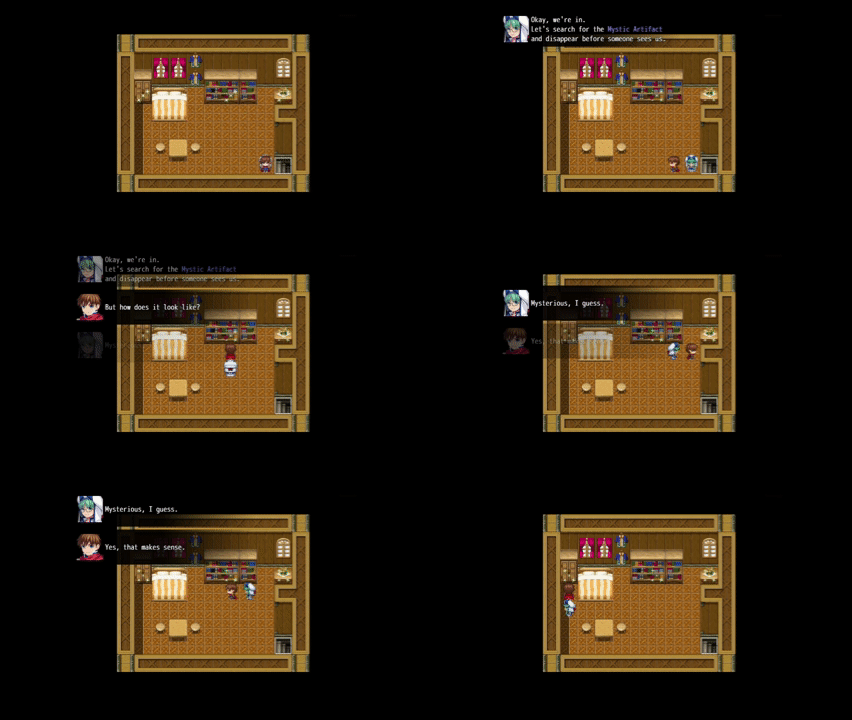
Ambient Dialogs lets your player listen to small dialogs with your companions while still being able to walk on the map.
Features
- Background chats with your heroes while the player can still move around the map
- Messages are queued like a conveyor belt
- Show Faces, either by passing an actor ID or picking the face manually
- Message automatically fade out after a short period
Quickstart
Messages are „pushed“ to the message queue on the screen. When the limit of visible messages (3 by default) is reached, the top message is automatically removed to make space for upcoming messages. If no new message is added to the queue for a predefined period, all remaining dialog messages fade out automatically.
Always add some wait commands between your dialog messages, since the plugin does not wait on its own.
MZ
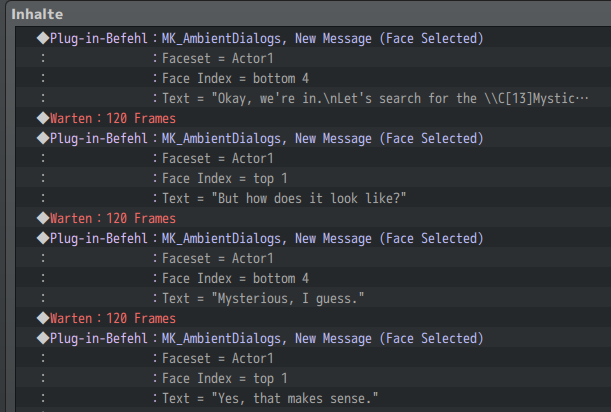
To push a new message to the screen, simply use one of the provided Plugin Commands.
Example:
MV
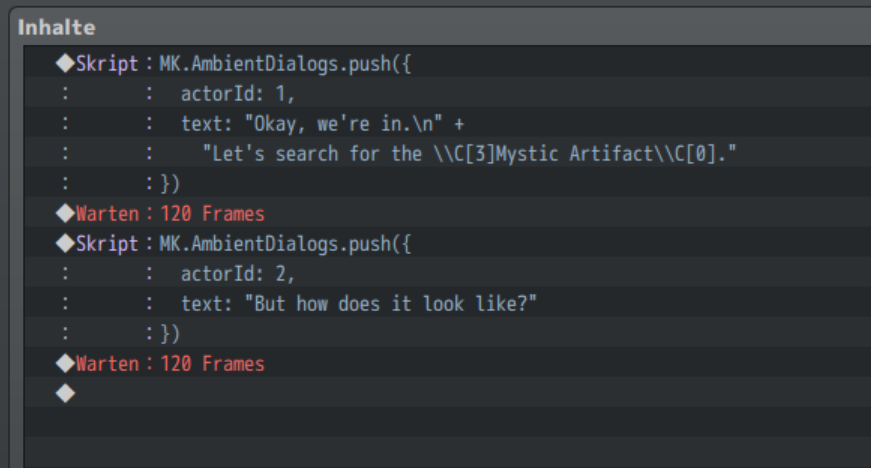
Use the following scripts calls:
New Message – without Face
MK.AmbientDialogs.push({
  text: "Hello there!"
})
New Message – Face by Actor
MK.AmbientDialogs.push({
  text: "Hello there!",
  actorId: 1,
})
New Message – Face manually picked
MK.AmbientDialogs.push({
  text: "Nyah!",
  faceName: "Nature",
  faceIndex: 1,
})
Use \n to make a new line.
Example:
text: "First line\nSecond line"
Due to the nature of JavaScript, you need to escape the backslash symbol for RPG Maker Text Codes. Use \\V[1] instead of \V[1]. This does not count for the \n line break.
Example:
text: "\\C[1]Hello World!",
Download
https://downloads.aerosys.blog/plugins/MK_AmbientDialogs.js (right-click, save as…)
– OR –