Random Maps v4 ready to try out: Read more

Visustella Compatibility
First of all, I’m generally open to making my plugins compatible with Visustella. If you encounter an issue and would like to report it, I only have one request to start with: please temporarily disable all Visustella plugins and try again to determine whether it is actually a compatibility issue. That information helps me a lot!
If you use Visustella and my plugins together in your project, you essentially have two large plugin suites that often overwrite similar or even the same parts of the RPG Maker code. As a result, it usually comes down to only one plugin emerging as the “winner” and taking precedence. Sometimes this is determined by the load order in the Plugin Manager, but (and this often surprises people), that is not always the case.
I know that most of you use Visustella primarily for gameplay mechanics and MK UICustomizer for UI design, since the latter is purely a UI plugin. Still, my plugin will only alter the program flow to take precedence over Visustella under exceptional circumstances. This is not mainly due to technical limitations or to the code encryption Visustella uses, but rather to a deliberate design decision on my part.
In short, making a patch that combines the features of two plugins A and B is absolutely fine. However, I do not want to implement my plugin in a way that it actively reverts or bypasses the features of other plugins, as this could feel like intervening in or disregarding someone else’s work, which I don’t intend at all.
I believe most people will understand and appreciate my decision.
Because of this, there are a few steps you will need to perform manually, which are explained in more detail below.
Skills&States Core – Gauges
The plugins MK_UICustomizer and VisuMZ_SkillsStatesCore can be used together; however, the following adjustments should be made:
This basically tells Visustella to revert their modifications to the HP, MP, & TP gauges by using Visustella itself – no hacking involved.
- Go into the plugin manager
- Open the settings of Visustella Skills&States Core
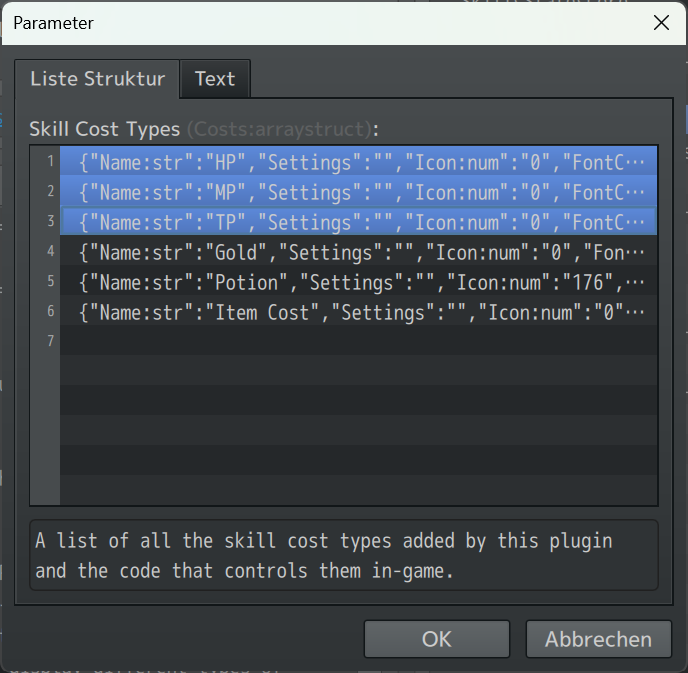
- Go into „Skill Cost Types“
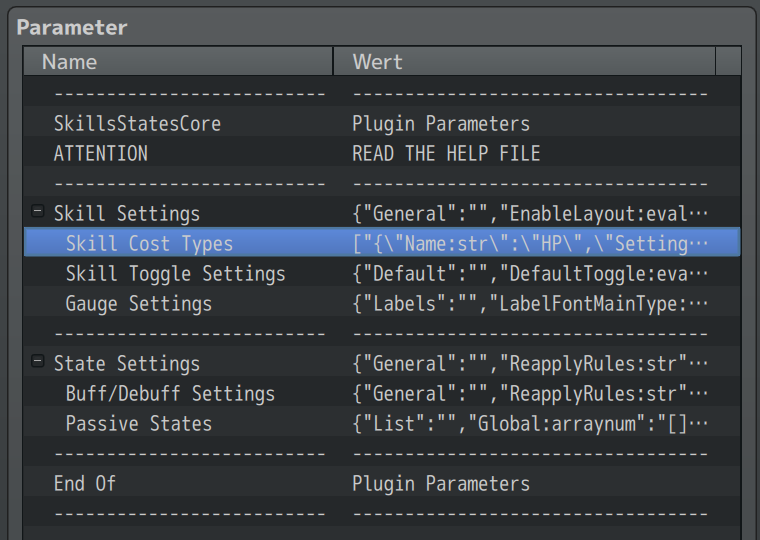
- For HP, MP, and TP, repeat:
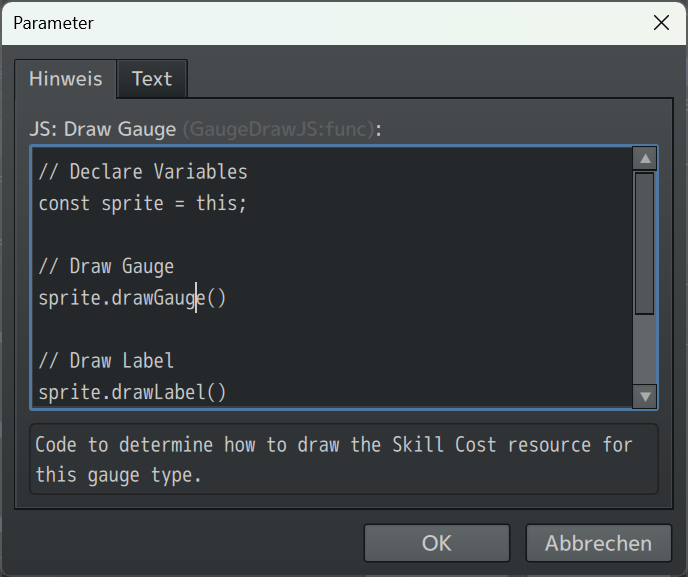
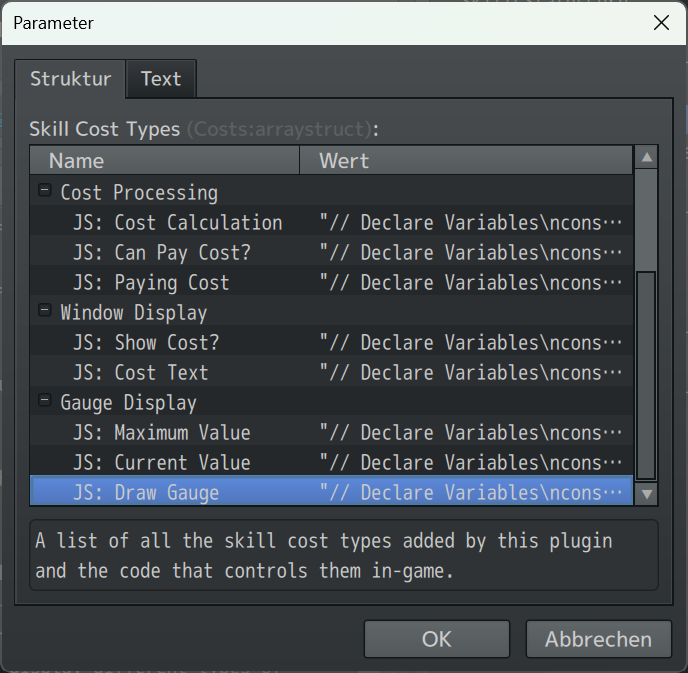
- Go into „JS: Draw Gauge“.
- Clear the text field, and paste this:
// Declare Variables
const sprite = this;

// Draw Gauge
sprite.drawGauge()

// Draw Label
sprite.drawLabel()

// Draw Value
sprite.drawValue()